Step-by-step guide to registration, joining the Telegram VIP channel, and exploring the basic features of our App
Welcome to Algo Lab!
Congratulations on becoming an Algo Lab member! This guide will walk you through every setup step, from receiving your Confirmation Email to receiving trading signals — it only takes 5-10 minutes. Don't forget to visit Market Pulse to understand daily market trends.
Step 1: Confirm Your Membership Level
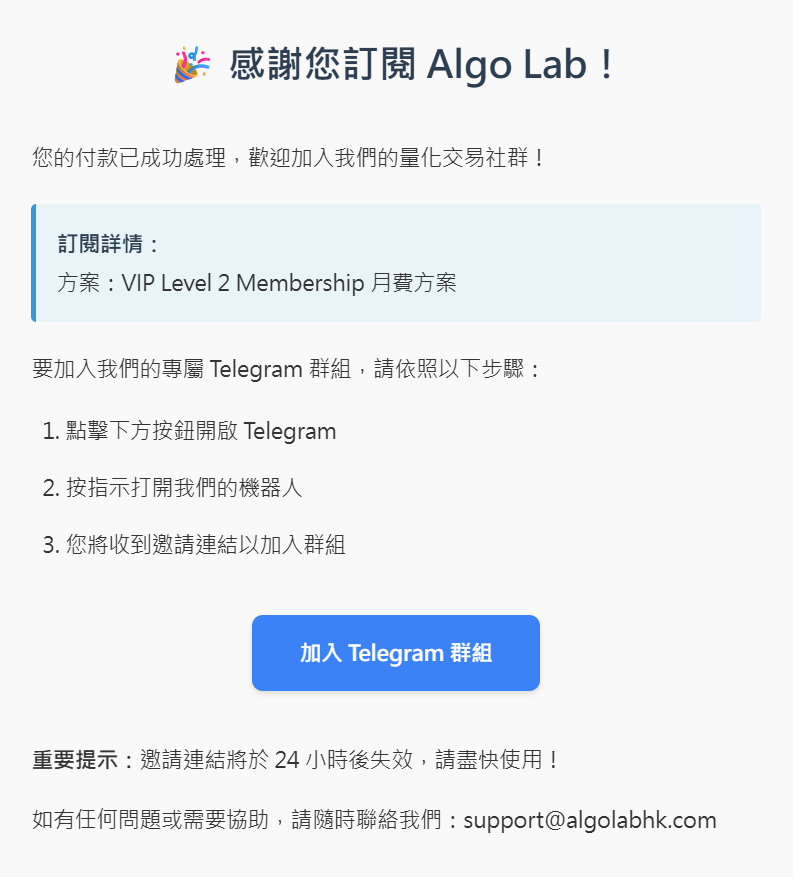
After registration, you will receive a Confirmation Email containing your membership details and the Telegram VIP channel invitation link. Please use the email you paid with and open the email within 24 hours to join the VIP channel, so you can receive daily trading signals on time.
In the email you will see:
- Membership Level: VIP Level 1 or VIP Level 2
- Telegram Invitation Link: Click to join the corresponding VIP channel
- Support Email: Contact us if you have any questions
Step 2: Join the Telegram VIP Channel
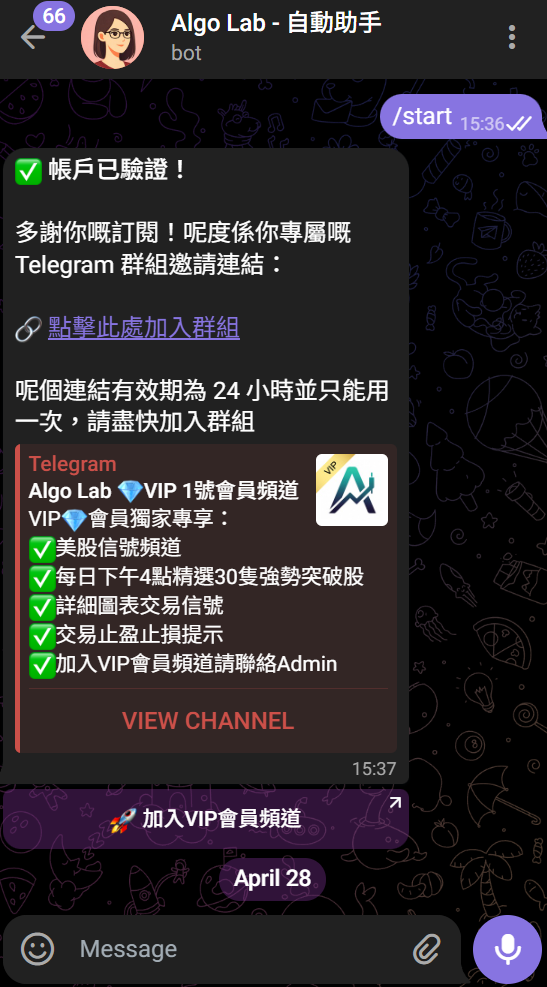
Click the Telegram invitation link in the email and follow the instructions:
- Click the invitation link → You will be redirected to a Telegram Bot
- The Bot will send you the VIP channel invitation link → Click the link sent by the Bot
- Join the VIP channel → Once joined, you can start receiving daily trading signals
📅 Signal Release Time
Daily signals are sent around 4:00 PM Hong Kong Time on US trading days. Each signal includes entry price, stop loss, take profit, and complete trade details.
Step 3: Register a Website Account (If Not Yet Registered)
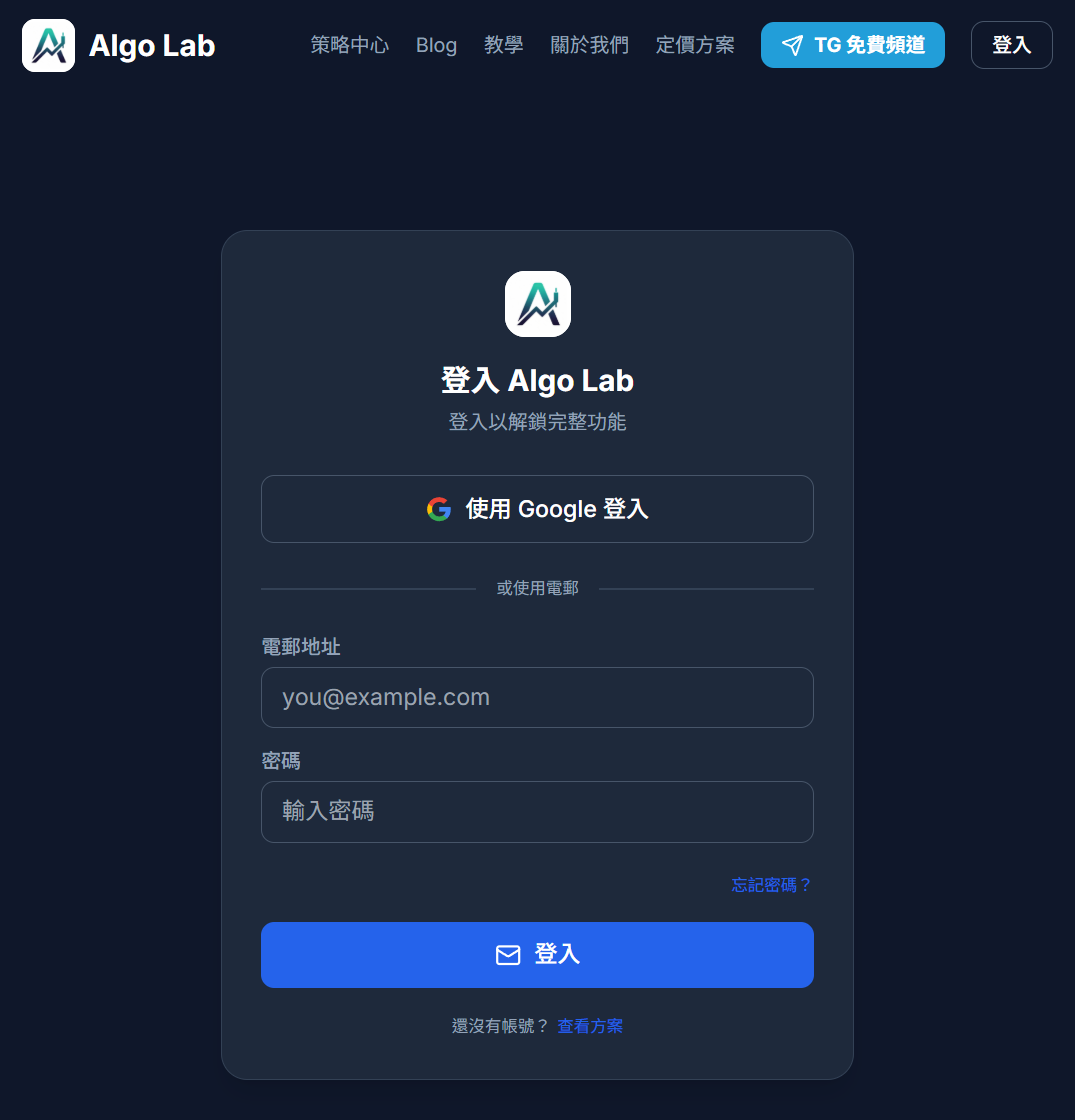
If you haven't registered an account on our website yet, please go to:
Registration process:
- Open algolabhk.com
- Click "Register" in the top right corner
- Enter your email and password
- Confirm your email (if not yet confirmed)
- Done! You can log in and use all features
⚠️ Important Note
Please use the same email you used for your membership purchase when registering, otherwise the system may not recognize your membership status. If you have any questions, contact us via the support email.
Step 4: Log In and Explore the App
After registration, you can log in to your account and start exploring the app's features:
- Strategy Center: View the latest trading signals and historical performance
- Portfolio Management: Track your trade records
- Learning Center: Learn trading knowledge, also browse the Quant Knowledge Base for more
Key Takeaways
- Confirmation Email contains the Telegram VIP invitation link and membership level information
- VIP Level 1 receives [Strategy 1](/strategy/strat1) signals, VIP Level 2 receives Strategy 1 + 2 signals
- Daily signals are sent via Telegram around 4:00 PM Hong Kong Time on trading days
- Remember to use the same email to register your website account
Next Lesson Preview
After completing the onboarding setup, in the next lesson we will dive into how to view and analyze trading signals in the Strategy Center — including how to read charts, interpret signal data, and identify high-probability trades.